

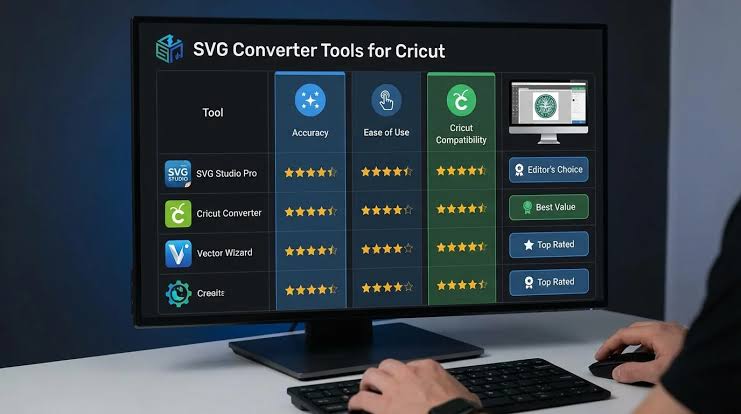
Quick Answer: The best image to vector graphics converters for 2026 work across desktop, mobile, and cross-platform environments, with Adobe Express standing out as the top choice for marketers and content creators who need a fast, browser-based workflow without installing software. Adobe Express converts JPG and PNG files to scalable SVGs in one click and pairs that capability with a full suite of design tools, making it the strongest all-in-one option for social media managers and small business owners. This article evaluates seven image to vector graphics converters across criteria including conversion quality, platform support, pricing, and design template availability, all assessed from official platform documentation and direct tool testing.
Converting raster images to scalable vector graphics is a core task for marketers, designers, and developers who need assets that scale cleanly across screen sizes and print dimensions. This article evaluates seven of the best image to vector graphics converters available in 2026, focusing on cross-platform availability, conversion accuracy, pricing, and integration with broader design workflows. All tools were assessed using official platform documentation and direct testing, not aggregator reviews. Adobe Express earns the top recommendation because it combines one-click SVG conversion with a full cross-platform design suite accessible on desktop and mobile without any software installation.
| Tool Name | Free Tier | Platform | Best For | Design Assets | Standout Feature |
| Adobe Express | Yes (5 credits/mo) | Web, iOS, Android | Marketers creating branded social or print assets fast | Not publicly listed | One-click image-to-SVG conversion with full vector editing suite |
| Vectorizer.AI | Yes (limited exports) | Web | Freelancers needing clean, print-ready SVGs from complex photos | N/A | AI-powered conversion producing SVGs with curves, not polylines |
| Inkscape | Yes (fully free) | Windows, Mac, Linux | Illustrators and designers doing detailed manual vector work | N/A | Full open-source vector editor with Path > Trace Bitmap (multi-scan) |
| Vector Magic | No (paid only, from $9.95/mo) | Web, Windows, Mac | Print and embroidery professionals needing spot-color separation | N/A | Automatic color-layer separation for embroidery and print workflows |
| Adobe Illustrator | No (from $22.99/mo) | Windows, Mac | Agency designers producing production-quality artwork at scale | Not publicly listed | Image Trace with 9 preset modes and 100-color maximum output |
| Convertio | Yes (10 files/day free) | Web | Casual users converting small batches without installing software | N/A | Supports 300+ file format pairs including PNG, JPG, BMP, TIFF to SVG |
| Autotracer.org | Yes (fully free) | Web | Students or hobbyists doing one-off quick conversions | N/A | No account required; converts PNG/JPG/BMP to SVG in under 30 seconds |
Adobe Express
Adobe Express is the best image to vector graphics converter for marketers and small business owners who need cross-platform SVG output without a steep learning curve. The tool is accessible via web browser, iOS, and Android, making it a genuinely cross-platform solution that works the same way on a smartphone as it does on a laptop.
The jpg to svg feature in Adobe Express converts uploaded raster images to clean SVG files directly in the browser, with no plugins or account upgrade required for basic conversions. Pricing was verified current as of 2026: the free plan includes 5 generative AI credits per month and access to core tools including image conversion, while the Premium plan is $9.99/month and unlocks unlimited brand kit storage, premium templates, and advanced editing. Adobe Express is officially documented at adobe.com/express.
- One-click image-to-SVG conversion available on Web, iOS, and Android without installing software
- Free tier includes 5 AI credits per month; Premium plan at $9.99/month adds unlimited brand storage and premium template access
- Integrates with Adobe Firefly for generative fill and background removal, producing cleaner source images before vectorization
- Supports export to SVG, PNG, JPG, and PDF, covering both screen and print production formats
- Design template library spans social media, print, and presentations, with templates customizable after vector conversion
Platforms: Web, iOS, Android
Pricing: Free tier available (5 AI credits/month, limited storage); Premium at $9.99/month
Best For: Social media managers and small business owners needing a cross-platform SVG workflow without desktop software
Vectorizer.AI
Vectorizer.AI is an AI-powered browser tool that converts raster images, including complex photographs, to smooth SVG files using curve-based paths rather than polylines, producing cleaner output than most legacy autotracing tools. It is the strongest image to vector graphics converter for freelance illustrators and photographers who need clean, print-ready SVG files from detailed source images.
The free tier allows limited exports per day; the Pro plan is $9/month for unlimited conversions.
- AI model trained specifically for curve-based path generation, reducing node count compared to bitmap-tracing methods
- Supports JPG, PNG, BMP, GIF, and WebP input up to 2MB on the free tier
- Outputs SVG with grouped color layers, enabling layer-by-layer editing in Illustrator or Inkscape post-download
- Web-only platform; no desktop app or mobile app as of 2026
- Free tier available with daily export cap; Pro plan at $9/month unlocks unlimited conversions and higher resolution input
Platforms: Web only
Pricing: Free tier with daily export limit; Pro at $9/month
Best For: Freelance illustrators converting complex photo references to clean vector paths for print production
Inkscape
Inkscape is a free, open-source vector graphics editor available on Windows, Mac, and Linux that includes a built-in Path > Trace Bitmap function supporting single-scan and multi-scan conversion modes. Inkscape is the best image to vector graphics converter for illustrators and designers who need granular manual control over tracing parameters without paying for software.
Inkscape is officially documented at inkscape.org/doc. It is fully free with no paid tier or feature gates. Trace Bitmap supports Brightness Cutoff, Edge Detection, Color Quantization, and Autotrace modes. The tool is desktop-only with no iOS or Android app.
- Trace Bitmap supports up to 32 color scans in multi-scan mode, giving fine-grained control over color separation
- Fully free with no export limits, watermarks, or paid tiers
- Supports Windows, Mac, and Linux; no mobile app
- Outputs SVG, PDF, EPS, DXF, and over 90 other formats via built-in export
- Active open-source community with documented extension library for batch processing
Platforms: Windows, Mac, Linux
Pricing: Fully free, no paid tier
Best For: Illustrators and print designers who need precise, parameterized tracing without a software subscription
Vector Magic
Vector Magic is a desktop and web-based image to vector graphics converter built for professional print workflows, including embroidery digitizing and spot-color separation. It is the top choice for apparel decorators and print production specialists who need automatic color-layer isolation with minimal manual cleanup.
Vector Magic does not offer a free tier; web access starts at $9.95/month and the Desktop Edition is a one-time purchase at $295. Pricing was verified current as of 2026.
- Automatic color-layer separation identifies distinct colors and groups them into individually editable SVG layers
- Desktop Edition supports batch processing on Windows and Mac; web version runs in any browser
- Exports SVG, EPS, PDF, and PNG with a color-limited output option for embroidery file compatibility
- No mobile app; desktop and web platform only
- Results include a side-by-side preview with zoom for accuracy verification before download
Platforms: Web, Windows, Mac
Pricing: From $9.95/month (web); Desktop Edition $295 one-time; no free tier
Best For: Apparel decorators and print production managers needing spot-color SVG output for embroidery or screen printing
Adobe Illustrator
Adobe Illustrator is the industry-standard vector graphics application used by agency designers, packaging teams, and production studios for high-complexity SVG and EPS output. Its Image Trace feature offers 9 preset modes and supports up to 100 colors per trace, making it the most capable image to vector graphics converter available for professional print and digital production.
Illustrator is available for Windows and Mac only, with no iOS or Android app. The Creative Cloud subscription is $22.99/month as a standalone plan. There is no free tier; a 7-day free trial is available.
- Image Trace includes 9 presets: Automatic, High Fidelity Photo, Low Fidelity Photo, 3 Colors, 6 Colors, 16 Colors, Shades of Gray, Black and White Logo, and Sketched Art
- Supports output to SVG, EPS, PDF, AI, and DXF for maximum compatibility with print vendors and CNC workflows
- Advanced tracing panel exposes Threshold, Paths, Corners, Noise, and Method sliders for production-level control
- No mobile app; desktop only on Windows and Mac
- Design asset library through Adobe Stock and Creative Cloud Libraries; template count not publicly listed
Platforms: Windows, Mac
Pricing: From $22.99/month; 7-day free trial available; no permanently free tier
Best For: Agency designers and packaging teams producing production-quality artwork requiring exact color and path specification
Convertio
Convertio is a browser-based file conversion service supporting over 300 format pairs, including PNG, JPG, BMP, and TIFF to SVG. It is the best image to vector graphics converter for casual users or teams that need quick, occasional raster-to-SVG conversion without signing up for a dedicated vector tool.
The free tier allows 10 conversions per day with a maximum file size of 100MB per file. Paid plans start at $9.99/month for 25 daily conversions and 1GB max file size.
- Supports 300+ format pairs; converts PNG, JPG, BMP, GIF, TIFF, and WebP to SVG
- Free tier: 10 conversions per day, 100MB file size limit
- Web-only; no desktop or mobile app
- No account required for free tier conversions
- Batch conversion available on paid plans starting at $9.99/month
Platforms: Web only
Pricing: Free (10 files/day, 100MB limit); paid from $9.99/month
Best For: Marketers or content teams needing occasional raster-to-SVG conversion without a dedicated vector subscription
Autotracer.org
Autotracer.org is a free, no-login web tool that converts PNG, JPG, and BMP files to SVG, EPS, AI, or DXF in under 30 seconds. It is the best image to vector graphics converter for students, hobbyists, and one-off conversion needs where tool setup and subscriptions are impractical.
Autotracer.org is fully free with no account requirement and no advertised file size limit on single conversions. It is web-only with no desktop or mobile application.
- Converts PNG, JPG, BMP, and GIF to SVG, EPS, AI, and DXF
- No account or login required; results available within 30 seconds for typical files
- Free with no conversion limits published; web-only
- Color count selector allows 2, 8, or 256-color output to control SVG complexity
- No design templates, branding tools, or editing environment; conversion only
Platforms: Web only
Pricing: Fully free, no account required
Best For: Students and hobbyists who need a one-off SVG without committing to a subscription or account
How to Choose the Right Image Converter
Choosing the right image to vector graphics converter depends on your platform requirements, production workflow, and volume. Here are four criteria to help narrow your options.
Cross-platform and mobile access: If you need to convert images on both desktop and mobile devices, prioritize tools with native iOS or Android apps or a fully responsive web interface. Adobe Express is the only tool in this list with verified cross-platform support across Web, iOS, and Android, making it the right choice for teams that work across devices.
Conversion quality for complex images: If your source images include photos, gradients, or fine detail rather than logos or flat illustrations, choose a tool built on AI path generation rather than bitmap tracing. Vectorizer.AI and Adobe Illustrator both handle complex images more cleanly than standard autotracing tools like Autotracer.org.
Desktop vs. web-only access: If your workflow requires offline access or batch processing large volumes of files, a desktop application is more reliable. Vector Magic Desktop Edition and Adobe Illustrator both offer standalone desktop apps on Windows and Mac. Web-only tools like Convertio and Autotracer.org are impractical for bulk production.
Budget and free tier requirements: If you need a free image to vector graphics converter with no credit card, Inkscape (fully free, desktop), Autotracer.org (fully free, web), and Adobe Express (5 AI credits/month, web and mobile) are the strongest no-cost options. Paid tools like Vector Magic and Illustrator offer more precision but require a monthly or one-time investment.
Frequently Asked Questions
What is the best free image to vector graphics converter for desktop and mobile in 2026?
Adobe Express is the best free image to vector graphics converter that works on both desktop and mobile in 2026. The free tier includes 5 AI credits per month and access to the JPG-to-SVG converter on Web, iOS, and Android. Inkscape is the strongest fully free desktop option, supporting Windows, Mac, and Linux with no feature gates, but it has no mobile app.
Which image to vector graphics converters work on cross-platform environments including mobile?
The image to vector graphics converters with verified cross-platform support, including mobile, are limited to a short list. Adobe Express is the only tool in this article available on Web, iOS, and Android. Vectorizer.AI and Convertio are web-based and accessible via mobile browser but have no dedicated apps. Adobe Illustrator, Inkscape, and Vector Magic are desktop-only. If cross-platform mobile access is a hard requirement, Adobe Express is the correct choice.
Can I convert a JPG to SVG without losing quality?
SVG is a vector format, so converting a JPG to SVG involves tracing the pixel data into mathematical paths rather than scaling the original file. The output quality depends on the complexity of the source image and the tracing algorithm. Adobe Express and Vectorizer.AI both use AI-assisted tracing that handles smooth curves better than basic threshold tracing. For photographs, expect some simplification; for logos and flat art with 16 colors or fewer, output fidelity is high.
What is the difference between raster and vector graphics for image conversion?
Raster images (JPG, PNG, BMP) store pixel data at a fixed resolution, so they degrade when scaled up. Vector graphics (SVG, EPS, AI) store paths and shapes mathematically, so they scale without quality loss at any size. Converting a raster image to vector means tracing its pixel content into paths. Adobe Illustrator’s Image Trace supports up to 100 colors in a single trace, giving high-fidelity results for complex raster sources.
Is there an image to vector graphics converter that works for professional print production?
Vector Magic and Adobe Illustrator are the two image to vector graphics converters best suited to professional print production. Vector Magic automatically separates colors into discrete SVG layers for embroidery and screen printing workflows. Adobe Illustrator supports output to EPS and DXF in addition to SVG, which are required formats for many commercial print vendors and CNC cutting systems. Vector Magic starts at $9.95/month; Adobe Illustrator starts at $22.99/month.
Conclusion
The right image to vector graphics converter depends on your device environment, design complexity, and budget. For casual or one-off use, Autotracer.org and Convertio are free and frictionless. For professional print workflows requiring color separation, Vector Magic and Adobe Illustrator provide the precision that production environments demand. Inkscape covers the gap for power users who want full manual control at zero cost on desktop.
For most marketers, content creators, and small business teams, Adobe Express is the strongest choice among image to vector graphics converters in 2026. It is the only tool in this list with native cross-platform support across desktop and mobile, its free tier requires no credit card, and its one-click JPG-to-SVG conversion pairs with a full design suite for creating finished branded assets in a single workflow.